Using Item Documents for EU GPSR and Product Safety Requirements
To help meet EU GPSR requirements, eBay supports attaching product documents such as recycling instructions, compliance statements, or other safety information. In SixBit, you can add these documents to an item so they are included when you submit or revise the listing.

To add a Document:
- Open an item in SixBit and click on the Documents tab on the Item Window.
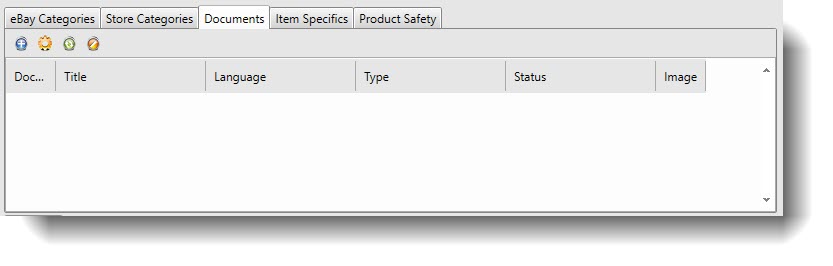
- Click the Add button
 to attach a new file. If you want to select a previously uploaded document instead of uploading a new one click the gear icon
  .
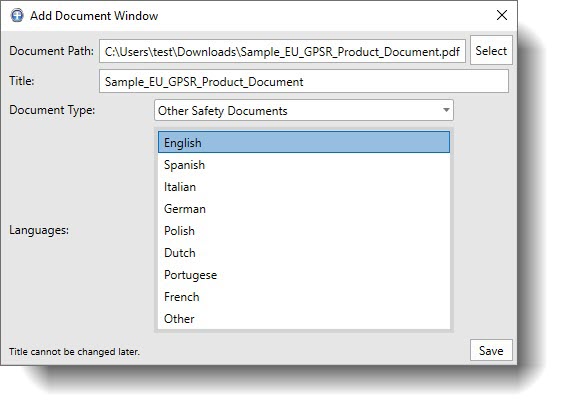
. - On the Add Document Window click Select to choose the file on your computer. Choose PDF when possible. for safety or EPR documents, then enter a descriptive Title, choose the appropriate Document Type, select the Language and click Save.
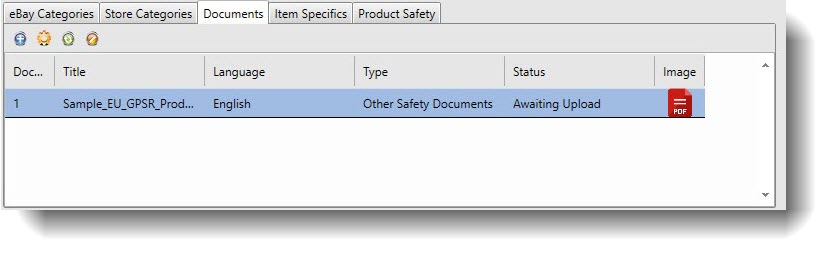
- When you are finished adding documents, submit the item to upload them to eBay. After the listing processes the document row will show the current Status (Awaiting Upload, Pending, Accepted, or Rejected).
- If you are adding documents to an existing running listing, click the Resend Document button
 , then go to the running listing in SixBit, right click it, and choose Send Revisions to Site so the document update is sent to eBay.

|
Optional but recommended. Put the same PDF on the Item Template you use for those categories so new items inherit it automatically, then Revise or Submit as normal. Please see: Editing Item Templates. eBay UK allows up to 10 product documents per listing, and documents can be PDF, JPG, or PNG, with language selection available. |
Additional Product Safety Information:
In SixBit, the Product Safety tab is where you enter any product safety and compliance information that eBay may require, especially for listings that ship to buyers in the EU and UK. This includes things like manufacturer and responsible person contact details, safety statements, and any hazmat related information that applies to the item.
For coin or button battery compliance, you will typically tick Contains coin battery and add any required statement text, then Revise the listing so the disclosure is sent to eBay.
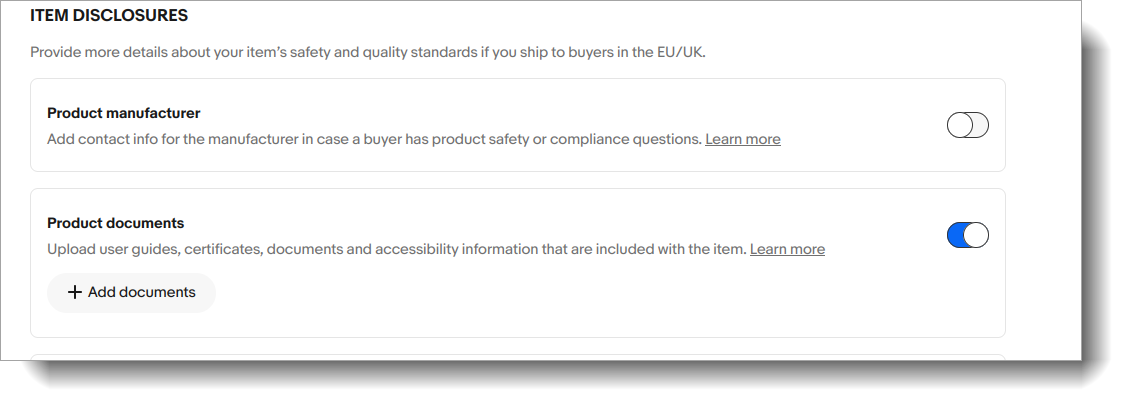
If you are also attaching product documents, keep in mind that eBay controls whether those documents actually render to buyers through a per listing setting in Seller Hub. In eBay Seller Hub, do a one time bulk edit to flip Product documents to ON by going to Listings, selecting the affected listings, choosing Bulk edit, then Item disclosures, then Product documents, then Change to, then enabling the documents area and saving.
We will continue updating this page as eBay expands product safety requirements and additional fields become available in SixBit.