SixBit Consignment Workflow
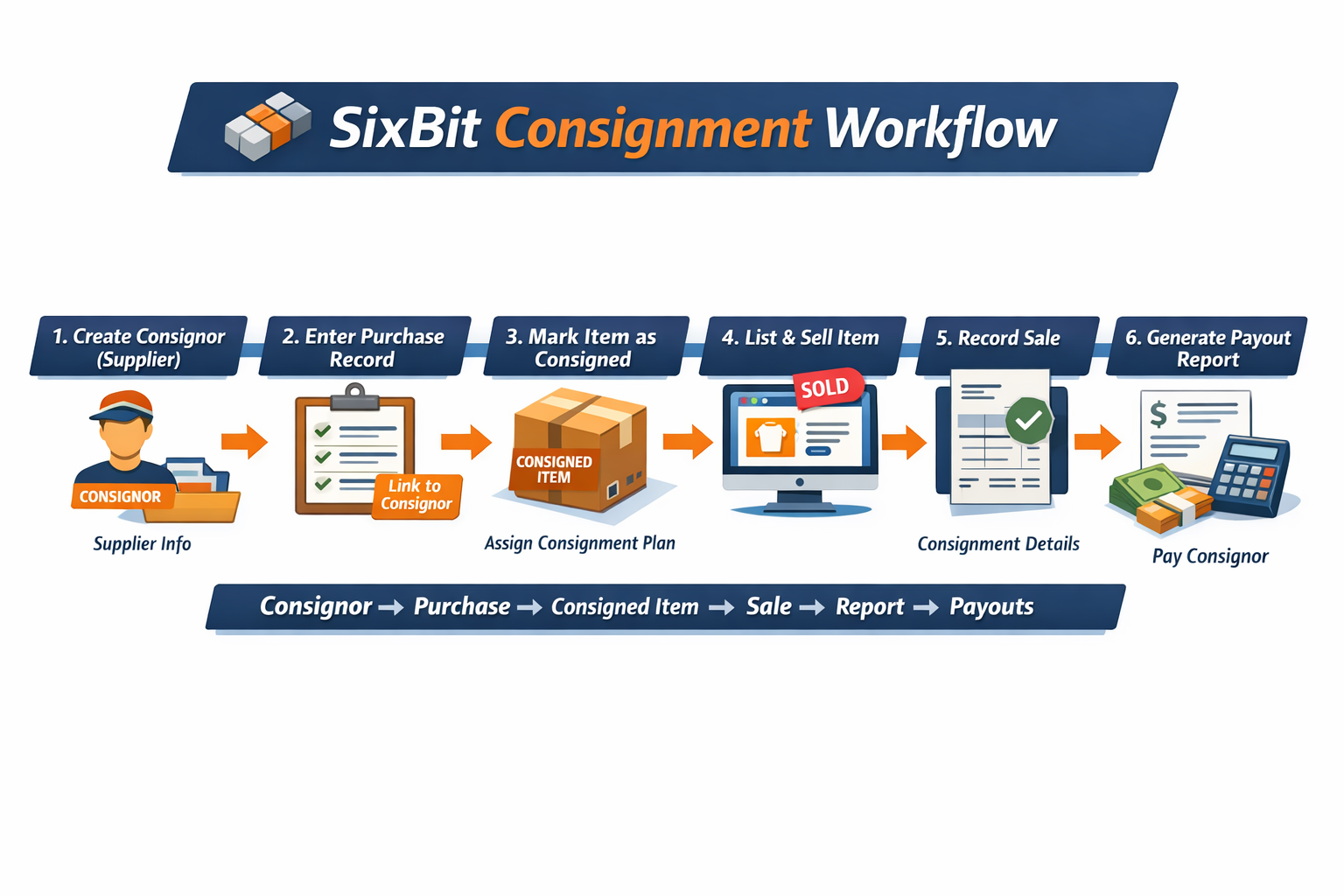
The SixBit Consignment module follows a specific chain of data. Each step must be completed correctly for consignments to track, calculate payouts, and appear in reports.
Workflow Overview
Consignor → Purchase → Item → Plan → Sale → Report → Payout
Step-by-Step Setup
1. Create Consignor (Supplier)
- Go to Suppliers
- Create or edit a supplier record
- Mark the supplier as a Consignor
- Enter contact and payout details
Purpose: Defines who will receive proceeds from sold items.
2. Enter Purchase Record
- Create a Purchase record for incoming items
- Assign the Consignor (Supplier) to the purchase
Purpose: Links the inventory to the consignor.
3. Mark Item as Consigned
- Open the item record
- Enable Consigned Item
- Assign a Consignment Plan
Purpose: Tells SixBit the item should follow consignment rules and payout calculations.
4. List and Sell Item
- List the item normally
- No special listing steps are required after setup
Purpose: The selling process remains the same once the consignment setup is in place.
5. Verify the Sale
- Open the Order or Sale record
- Confirm the Consignment Plan is present
- Verify the consignment details carried over correctly
Purpose: Ensures payout calculations and consignor reporting are triggered correctly.
6. Generate Reports and Payouts
- Run consignment reports
- Review totals owed to each consignor
- Issue payouts as needed
Purpose: Final step where the consignor is paid based on the recorded sale.
Troubleshooting
Consignments Not Showing in Reports
- The Purchase record may be missing a consignor
Fix: Edit the Purchase record and assign the correct supplier as the consignor.
No Payout Calculated
- The item may not be marked as consigned
- No consignment plan may be assigned to the item
Fix: Edit the item record, mark it as consigned, and assign the proper consignment plan.
Sale Missing Consignment Data
- The consignment plan may not have carried into the sale
Fix: Verify the Purchase record, item setup, and consignment plan assignment.
Key Rule
If any part of the chain is missing, consignments will not work correctly.
Supplier → Purchase → Item → Plan → Sale → Report
Best Practices
- Always assign the consignor at the Purchase level first
- Mark items as consigned before listing them
- Use consistent consignment plans
- Spot-check sales to confirm the plan is applied
- Run reports regularly to catch setup issues early