If you have changed a price, quantity, or other detail on an item in SixBit and expected it to update the live eBay listing, but eBay keeps showing the old value, the revision attempt likely failed. SixBit logs the failure as a Revision Error rather than automatically retrying it, so the change will keep failing silently until you find and fix it.
Step 1 - Find listings with a failed revision
On My Dashboard, under the To Do List, a red Failed revisions link with a count will appear whenever any of your running listings have a revision error. Click it to jump straight to the Revision Failed view in Check Listings mode.
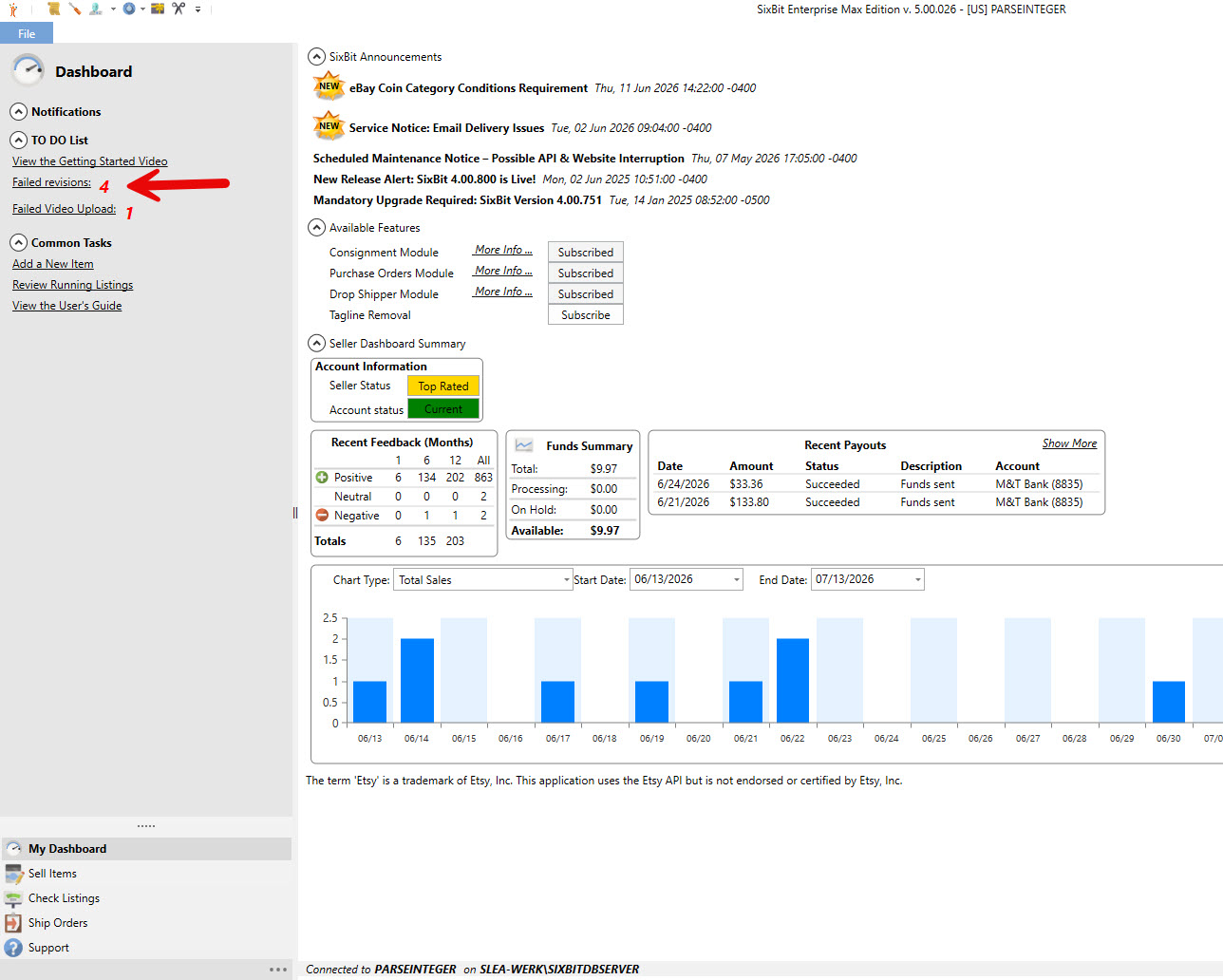
My Dashboard showing the Failed revisions link and count in the To Do List
Step 2 - Read the error
The Revision Failed view shows a Revision Error column (alongside Submission Error) with the specific reason eBay rejected the change, such as a missing required item specific or a SKU that no longer matches an active listing. If the message is cut off in the column, click the listing and check the Error section in the Listing Details panel on the right, which shows the full text.
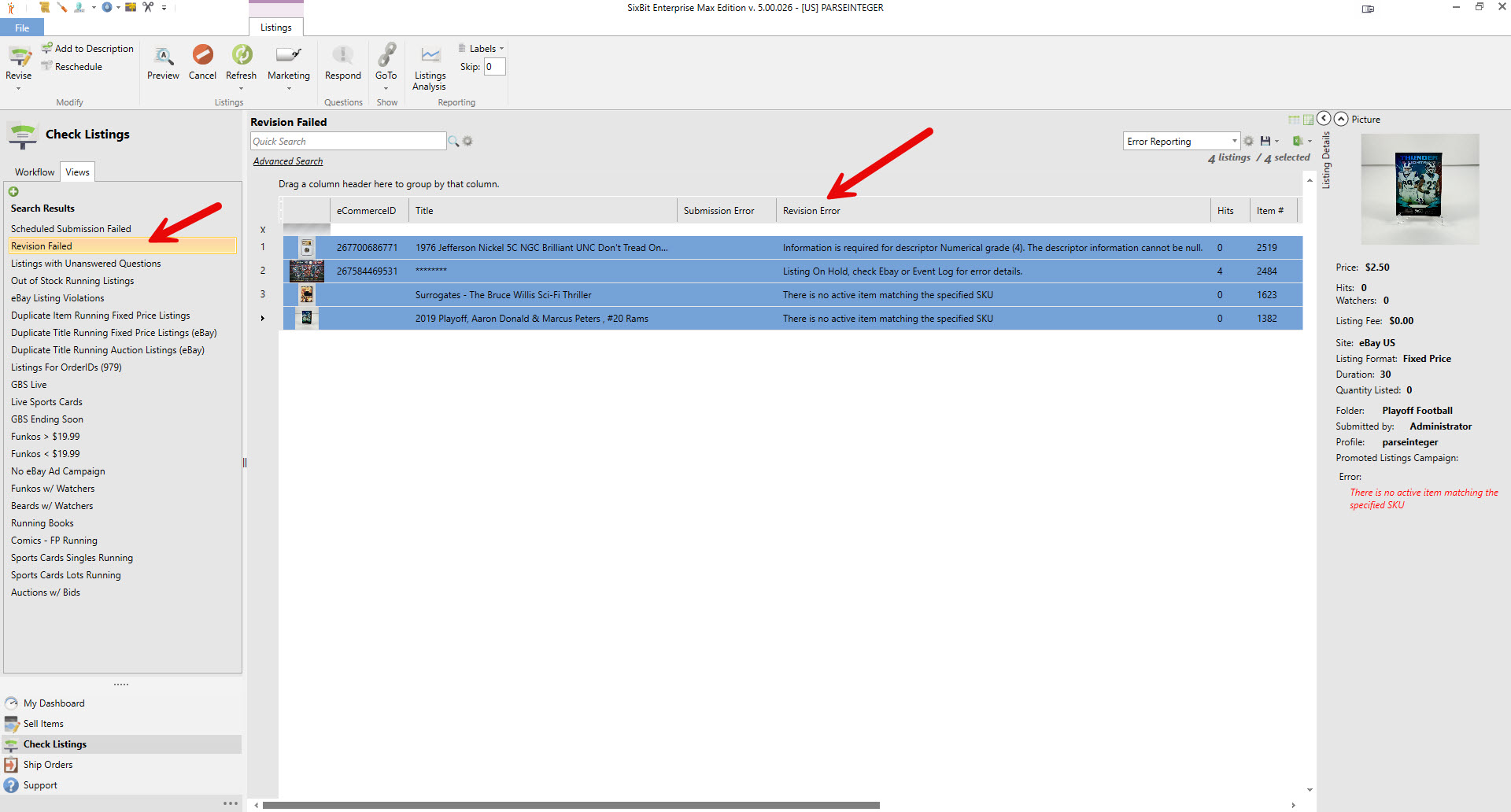
Revision Failed view showing Revision Error messages for several listings
Step 3 - Fix the issue and revise again
Once you have corrected whatever the error describes, select the listing and click Revise (or right-click and choose Send Revisions to Site) to push the corrected data to eBay. Simply reading or noticing the error does not update eBay by itself, the revision has to be sent again after the fix.
Step 4 - Do not confuse Clear Revision/Submission Errors with fixing the problem
Right-clicking a listing and choosing Clear Revision/Submission Errors only removes the red error message from SixBit. It does not retry the revision or change anything on eBay. Only use this after you have resolved the actual issue and successfully revised the listing again, as a way to clean up the leftover error text.
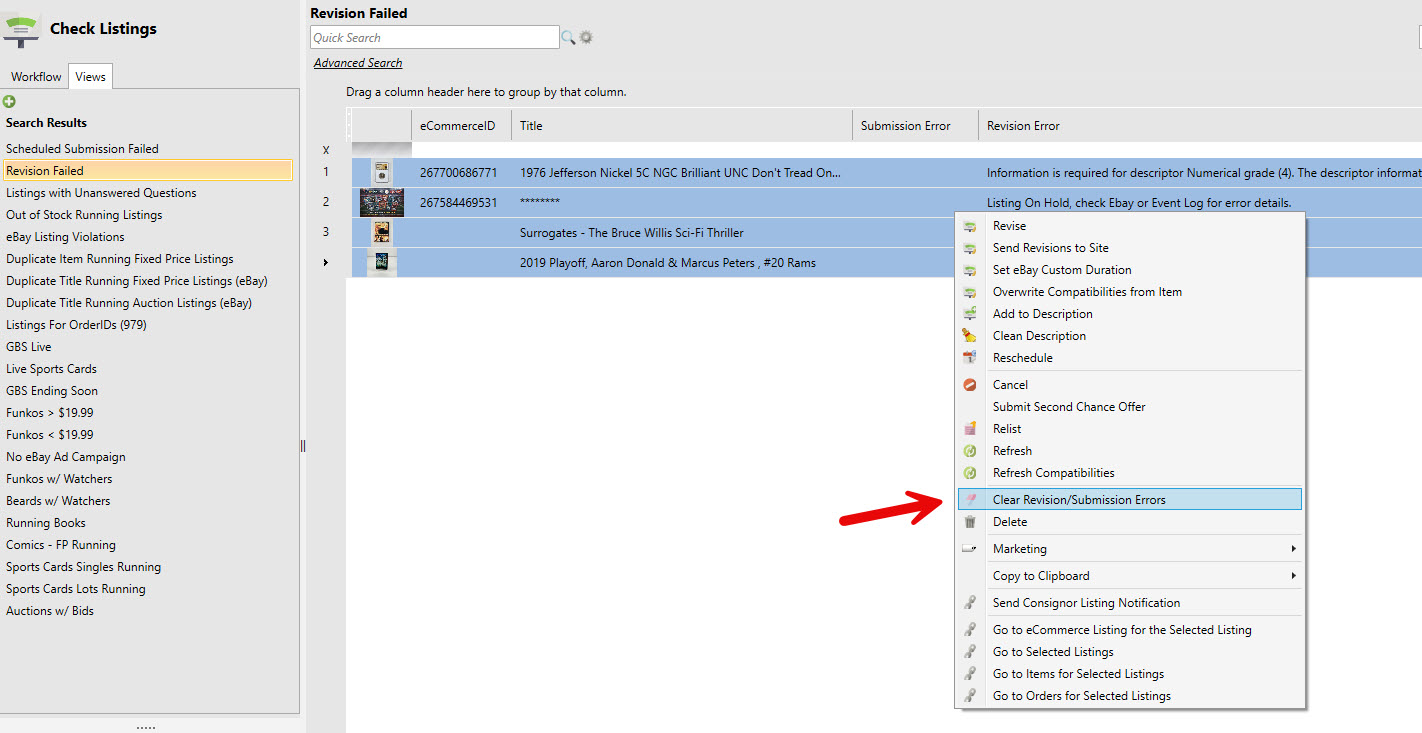
Right-click menu showing Clear Revision/Submission Errors