If pictures are missing from items in SixBit even though they are live on eBay, the picture download task has likely stalled or failed to run. This means SixBit is waiting to pull the picture URLs back from eBay but the background task never completed. The fix below forces SixBit to reach out to eBay in real time and retrieve the missing pictures for the affected items.
Step 1 - Find the affected items
Switch to Sell Items mode and click Advanced Search (link above the grid). In the Edit Search window, set the first field to Pending Download and the second field to is true, then click OK.
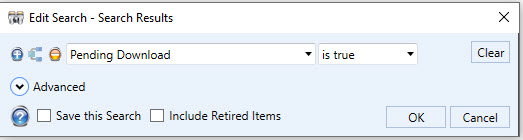
Edit Search window configured to find items with pending picture downloads
Step 2 - Download the pending pictures
In the Search Results grid, select all of the items returned by the search. Right-click the selection, choose Pictures, then click Download Pending Pictures.
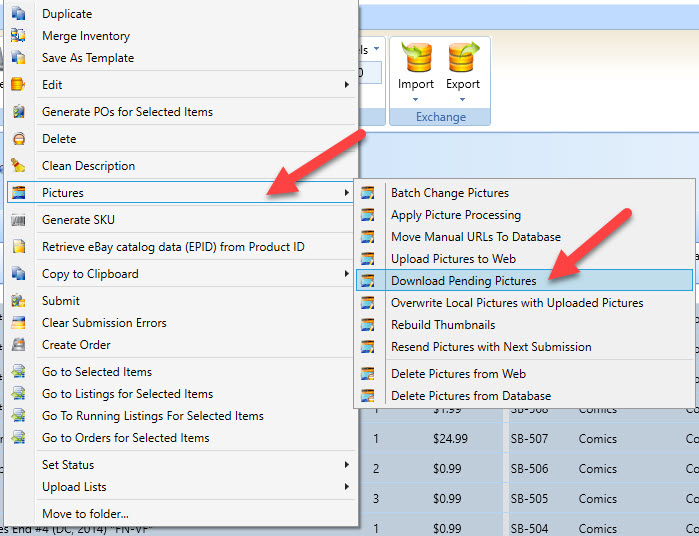
Right-click menu showing Pictures - Download Pending Pictures
SixBit will contact eBay and pull down the pictures for your live listings. A progress window will display while the download runs.
If pictures are still missing after this process completes, contact SixBit Support so we can look into the affected listings directly.